ArtCraft and PdfCraft, the free Adobe clones coded with AI: 3 questions before they reach office PCs
Key takeaways
- ArtCraft bundles seven free, open-source clones of Adobe apps, including PdfCraft for PDFs, written with AI help and still in alpha.
- Before a free tool lands on office PCs, three questions are enough: where does it come from, what can it access, who maintains it.
- Look-alike sites imitating the official one were reported by mid-October: the download link must come from the project page, not from a search.
- Driven by an AI agent without the --root option, PdfCraft can read and write every file in the user account.
- For everyday PDF needs, a tool that processes the file in the browser and that a known vendor maintains answers all three questions.
The short answer. ArtCraft and PdfCraft are real open-source projects, not a scam. But they are alpha releases, look-alike download sites are already circulating, and an AI agent driving PdfCraft can reach every file in the user account. Before a free tool enters the company, ask three questions: where does it come from, what can it access, who maintains it. Without all three answers: not yet, and never with client contracts.
Monday, 9:12. A colleague tells you, rather proudly: "I installed free Adobe." He does not mean a cracked copy. He means ArtCraft, the project everyone has been sharing since early October.
What are ArtCraft and PdfCraft? #
A developer rebuilt, with AI help, seven applications of the Adobe suite: the equivalents of Photoshop, Premiere, Illustrator, Acrobat and others. Everything is free and open source, published as ArtCraft. PdfCraft is the piece that replaces Acrobat (Gizmodo, 7 October 2026; Clubic, 14 October 2026).
It took off at once: by 22 October, one video presenting the project had passed two million views. The promise speaks to everyone, because the Acrobat subscription is one of the lines procurement teams like least.
What the coverage says less loudly:
- It is an alpha release. Features are missing, others change from one version to the next.
- The method raises a legal question. Rebuilding software "clean room" with an AI trained on the web is still debated (Gizmodo; Al Jazeera, 14 October 2026).
- Free has a limit. AI image generation runs on paid credits, from 8 to 48 dollars a month according to the official pricing page (read on 22 October 2026).
None of this makes it a bad project. It makes it a young one. And a young project, installed on work computers, deserves three questions.
Question 1: where does the tool come from? #
The real site, the real author. It is the simplest question, and the one that protects the most.
On 17 October 2026, about fifteen sites imitating the official ArtCraft site were reported and added the same day to a public DNS blocklist (hagezi). Nobody yet knows what each of them distributes. What is certain is that a trending name attracts copies, exactly like a look-alike domain in an impersonation email.
The FBI had already warned, in March 2025, about fake free online PDF converters that install malware on the computer. A free PDF tool is bait that works.
The rule to pass on to your team: the official link comes from the author, on the project page, not from the first search result, and not from an ad.
Question 2: what can it access? #
Your files, the network, and the AI agents connected to it.
In normal use, PdfCraft behaves well: it works offline and recognises text (OCR) locally. A test published on 19 October 2026 (the Overprivileged channel) showed exactly that.
The same test shows the limit. PdfCraft can be driven by an AI agent, and that is one of its selling points. Without the --root option, which confines the agent to one folder, the agent can read and write every file in the account. Not just the PDF it was given. It is the same logic as AI agents in Microsoft 365: an agent acts with your permissions, all of them.
Before allowing the tool, ask: which folder does it work in, and who decided that?
Question 3: who maintains it? #
Who will fix the vulnerability in six months?
Software installed on 30 computers becomes part of your information system. When a flaw is found, and one will be, someone has to fix it, someone has to publish the fix, and someone on your side has to roll it out.
For an alpha project carried by one person, the honest answer is: nobody knows yet. That is not a criticism, it is a fact. It is enough to say "not on company computers for now", without stopping anyone from following the project.
What about the black box on a PDF? #
One trap applies to every PDF tool, free or not. Drawing a black rectangle over a name does not always remove it: the text stays in the file, and a simple copy and paste brings it back. Paul Manafort's lawyers learned it in 2019, when "redacted" passages of a court filing turned out to be readable (The Guardian, 8 January 2019).
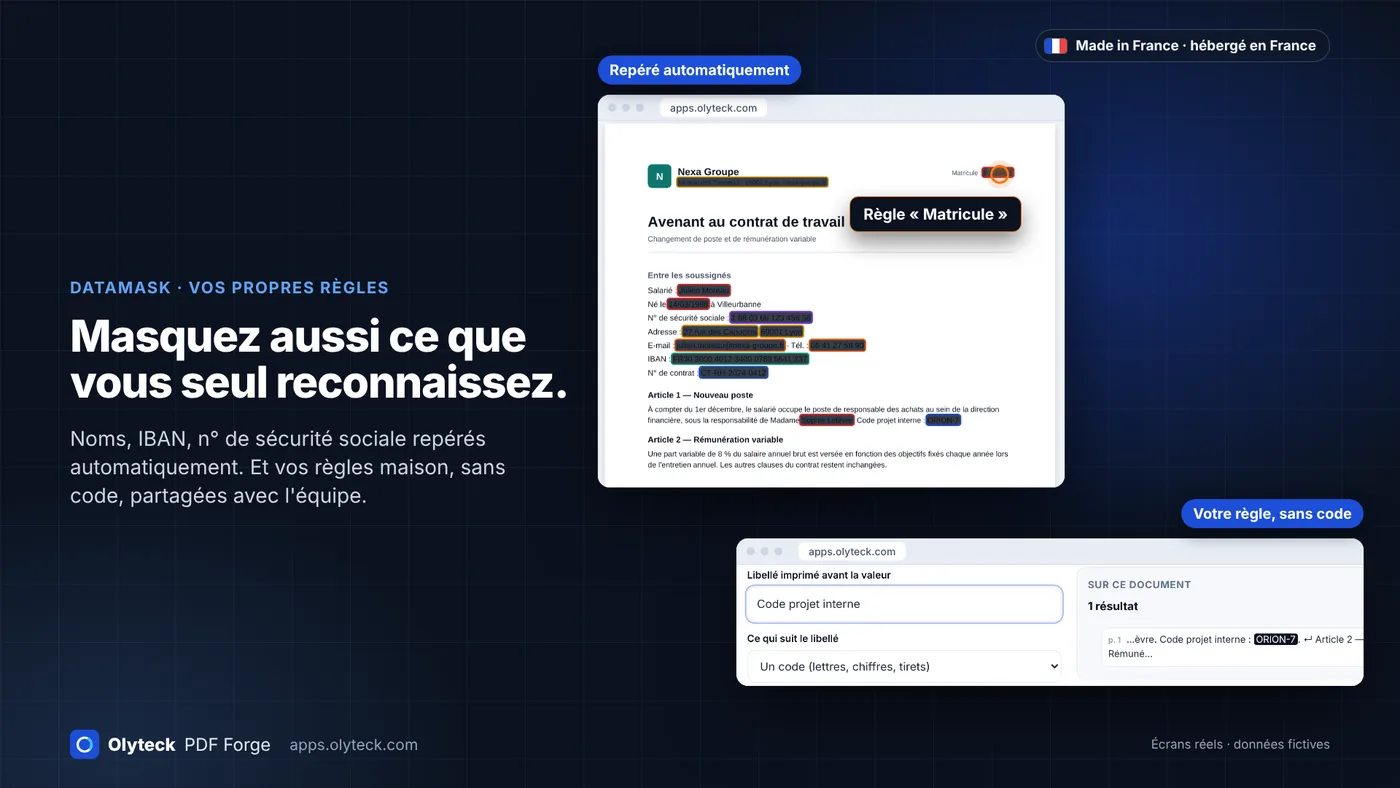
Real redaction produces a file in which the original text no longer exists. In DataMask, for example, the masked PDF is an image of each page: there is nothing left to copy.
What to offer instead #
Banning without offering anything does not work: the team keeps its need, and finds another free tool, less visible. Look first at what it needs. In most departments, that is not Photoshop. It is Acrobat: merge, sign, fill in a form, protect a file, mask data before sending it.
For those uses, a tool answers the three questions if it:
- comes from an identified vendor, at a known official address;
- processes the file without sending it to a server, and asks for no more access than the open file;
- is maintained by someone accountable for it.
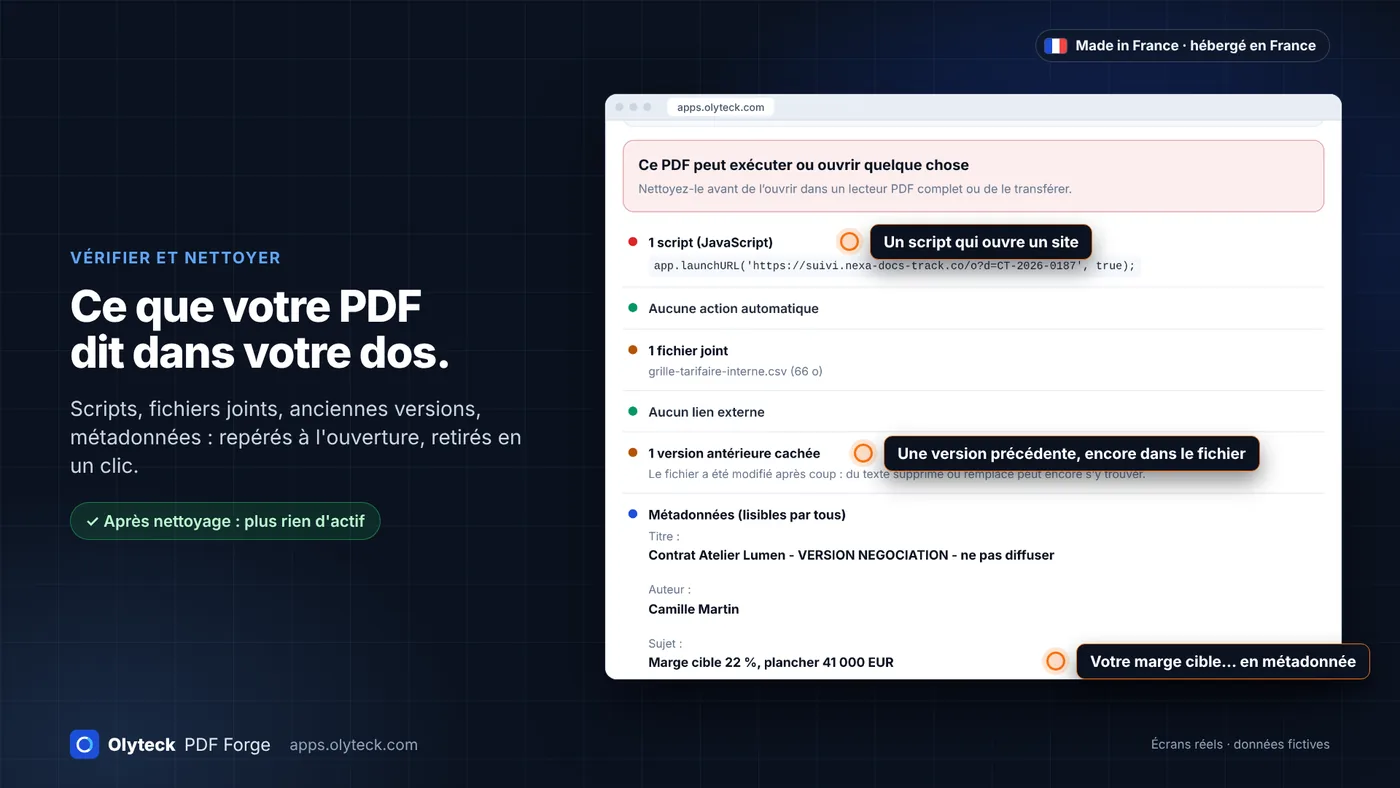
That is what we built with PDF Forge, in the browser, made in France. It adds something few tools offer: checking what a PDF hides before you send it. A script, an attached file, an earlier version of the text, or your target margin forgotten in the document properties.
So that the team knows what to do with the next trending "free tool", the simplest answer is still a short written rule that everyone knows. The kit to frame AI and tool use in your team contains a charter ready to adapt (in French). Before choosing, also check where your AI tool sends your data.
ArtCraft is not an isolated case. With REA, an AI agent can now rebuild a good part of existing software in minutes. For a company, the question becomes: should we stop paying for our software? We answer it in REA: 5 questions before you cancel a subscription.
FAQ #
Is ArtCraft a virus or a scam? #
No. ArtCraft and PdfCraft are real open-source projects covered by the tech press (Gizmodo, Clubic). The risk comes from fake sites imitating the official one, and from the alpha status of the project. Download only from the project page, and not on a company computer until the three questions have answers.
Can PdfCraft be used for client contracts? #
Not while maintenance is uncertain and AI agent use is not confined to one folder. A client contract contains personal data and confidential information: the tool that processes it needs a vendor accountable for its flaws.
How do you really redact a name in a PDF? #
Use a tool that removes the text, not a black rectangle laid over it. Check the result: copy the masked area and paste it into a text editor. If the name comes back, it was not redacted.
Should free software be banned at work? #
No, it needs a rule. A list of approved tools, a short path to request a new one, and the three questions: where does it come from, what can it access, who maintains it. A ban with no alternative pushes use toward tools IT no longer sees.
Read next #
- Where does your AI tool send your data? A due-diligence checklist
- AI agents in Microsoft 365: the new attack surface to audit
- How to spot impersonation and BEC emails in Microsoft 365
One useful Microsoft 365 email a month
New guides, findings from real tenants, and the occasional checklist. No sales sequence, unsubscribe in one click.